

CG Sitter
Arrange sitter support using the care needs and instructions recorded in your booking. Review the service details and the Pro’s applicable qualifications in the app.
On-demand care
CALiNGA Seeker connects people arranging care with independent professionals using CALiNGA Pro. Explore CG Sitter and Caregiver / Companion services, with booking details, pricing and verification handled in the apps when available.

Care services
Choose CG Sitter or Caregiver / Companion in CALiNGA Seeker. Availability depends on location, approved professionals and launch status.
Arrange sitter support using the care needs and instructions recorded in your booking. Review the service details and the Pro’s applicable qualifications in the app.
Arrange caregiver or companionship support based on the needs recorded in your booking. Care must stay within the professional’s qualifications and permitted scope.
Requests, pricing, document review and scheduling take place in the apps when enabled. The website does not confirm bookings or provide emergency assistance.
Read the service and booking FAQsHow it works
The booking flow in Seeker and Pro, subject to launch, eligibility and local availability.
In Seeker, choose CG Sitter or Caregiver / Companion. Enter the service location, date, time, duration and relevant care instructions.
Review the displayed booking amount and payment authorization in Seeker before confirming your request. Check the total, fees and service details together.
Confirm the service details and expressly agree to the payment timing shown in the app. Eligible Pros can then review the request. Submission is not yet a Pro acceptance or a verified clock-in.
When a Pro accepts, check Schedule in both apps for the booking status and details. For bookings with clock-in payment authorization, the assigned Pro’s verified clock-in triggers the authorized payment request through Stripe. Clock-out records the end of service; payment success depends on processor confirmation.
The booking record connects the displayed amount, your authorization, booking status and attendance records. See the payment terms for adjustments and dispute rights.
Two sides, two apps
Families and care professionals need different things from the same platform, so CALiNGA gives each of them their own app.
Inside CALiNGA
Two apps connect the people arranging care and the professionals providing it. Explore the supported features below; public access remains subject to launch, account eligibility and local availability.
Seeker
Review the booking amount, applicable fees and payment timing together. Expressly authorize the displayed charge before confirming the request.
Seeker + Pro
Follow accepted bookings and their current status in Schedule. Pros review their assignments; Seekers follow the care they arranged.
Seeker + Pro
Verified Pro clock-in and clock-out record service start and end. Booking details show recorded attendance and actual duration where available.
Seeker + Pro
Pros submit hourly reports based on care actually provided and firsthand observations. Authorized Seekers can view submitted reports through the app’s care-report features.
Seeker + Pro
See whether required documents are pending, approved or need replacement. Update rejected or expired documents when prompted instead of repeatedly uploading a pending file.
Seeker + Pro
Eligible Seekers can review a completed care session. Pros can view their review history and earned badges; nominations do not automatically award a badge or certification.
Pro
Review assignment details and estimated earnings, then follow the payout status available in Wallet. Stripe onboarding, verification and processor requirements apply.
Seeker + Pro + Website
Text Support provides general guidance from the CALiNGA FAQ guide. Email support for account-specific assistance. Paid AI and live staff chat are not currently enabled.
Why families trust it
Inviting someone into your home to care for a parent, a child or a partner is not a casual decision. CALiNGA is built around the checks that make that decision easier.

Pros submit identity, credentials and required background-check documentation for review before eligible service activity. Caregivers may also submit proof of completed California Live Scan; Live Scan proof is optional under the current Terms.
View the profile details, review history and earned badges made available in the app. Reviews follow completed sessions; badge nominations do not automatically grant certifications.
Review the amount and payment timing before confirmation. For clock-in-authorized bookings, payment processing is requested at verified Pro clock-in. Payouts have separate processor requirements.
The Pro records care provided and relevant observations during the shift. Authorized Seekers can view submitted reports through supported app features. Reports document the Pro’s account of care; they are not automatic proof that every task was completed.
From arrival to completion
Your Pro clocks in at the service location, records care updates during the visit, and clocks out when the service ends—giving you a clearer record of your care.
01 · Arrival
The assigned Pro’s verified clock-in records the start of the visit against the booking.
02 · Care updates
Care Notes let the Pro record care provided and relevant observations. Authorized Seekers can view submitted reports in the app.
03 · Completion
Clock-out records the end of the visit. Attendance details show the recorded start, finish and actual duration.
Actual app capture
Recorded attendance and duration in booking details.
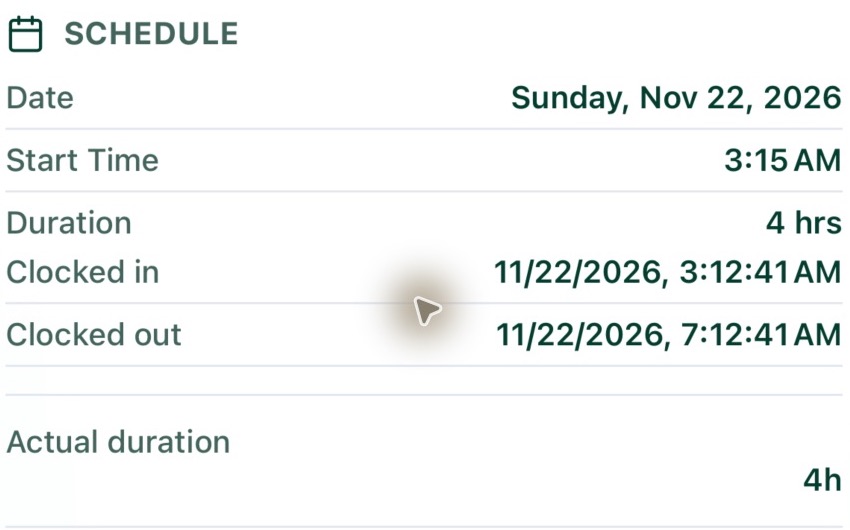
Actual app capture
A dedicated space for hourly observations during the shift.
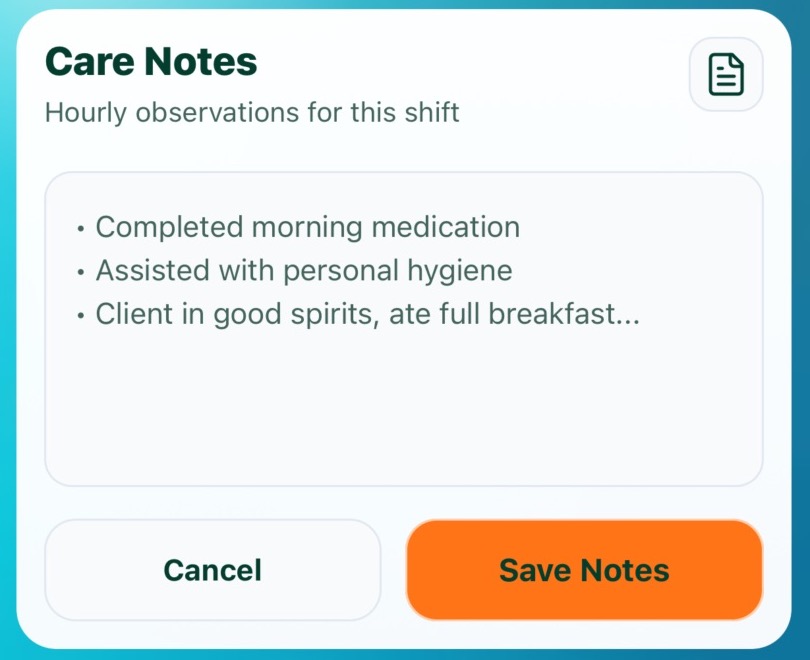
App demonstration · Genuine development-app screenshots, cropped to exclude personal information. Attendance uses demonstration data; Care Notes displays the app’s sample placeholder guidance, not a submitted care report.
More visibility. Greater accountability. A clearer record of care. Attendance and Pro-submitted notes support transparency; they do not independently verify completion of every care task.
Common questions
No. CALiNGA is a technology platform that introduces families to independent care professionals. Professionals work independently, manage their availability and decide which eligible requests to accept. CALiNGA does not employ, supervise or dispatch them.
Review the pricing and any applicable fees displayed in Seeker before confirming. Timing, location, duration and holidays may affect the quote. No booking or payment is completed by browsing this website.
Pros submit the required identity and credential documents for review. Uploading is not approval; eligibility depends on the review status and current document requirements.
You can cancel a request from the app before the visit begins. Cancellation terms are shown at the time of booking and are set out in full in our terms and conditions.
Coming Soon
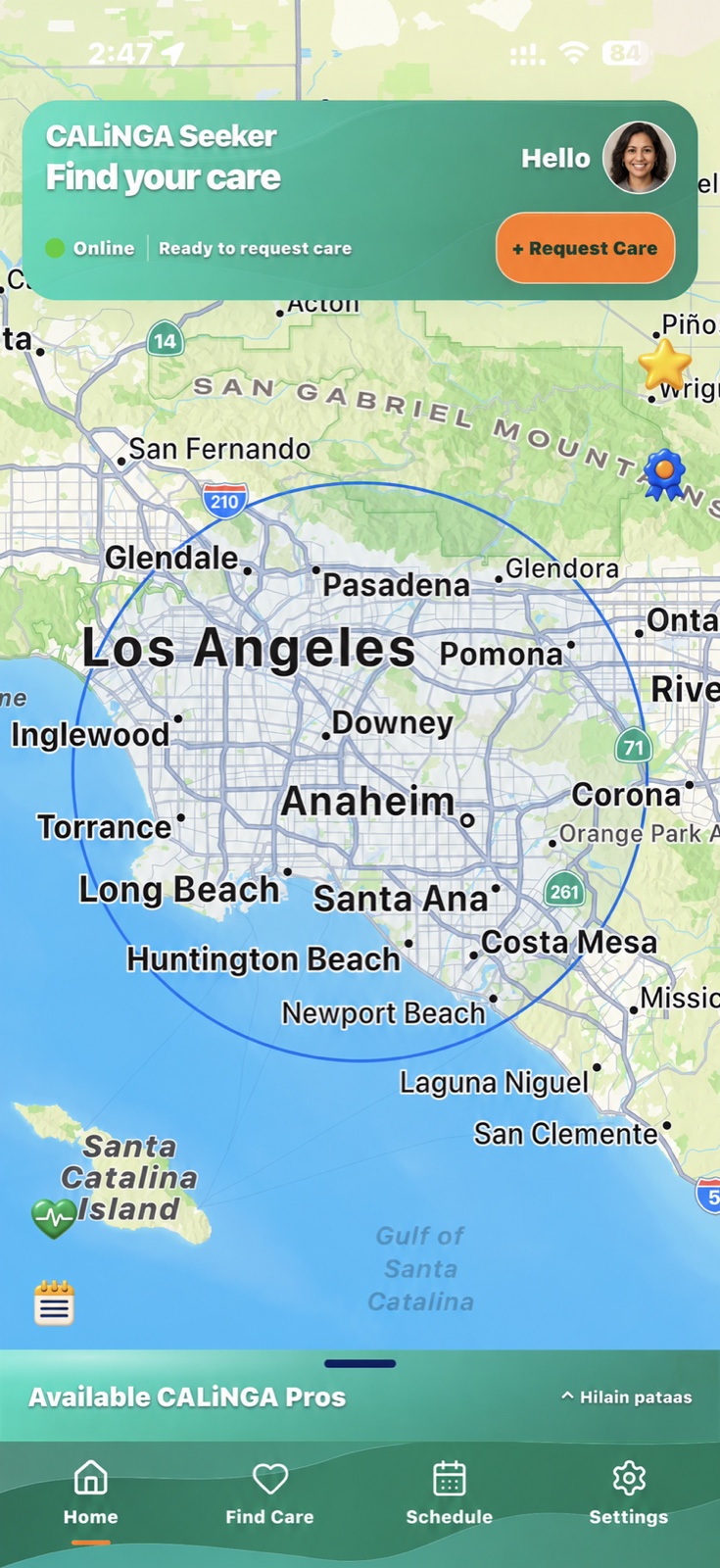
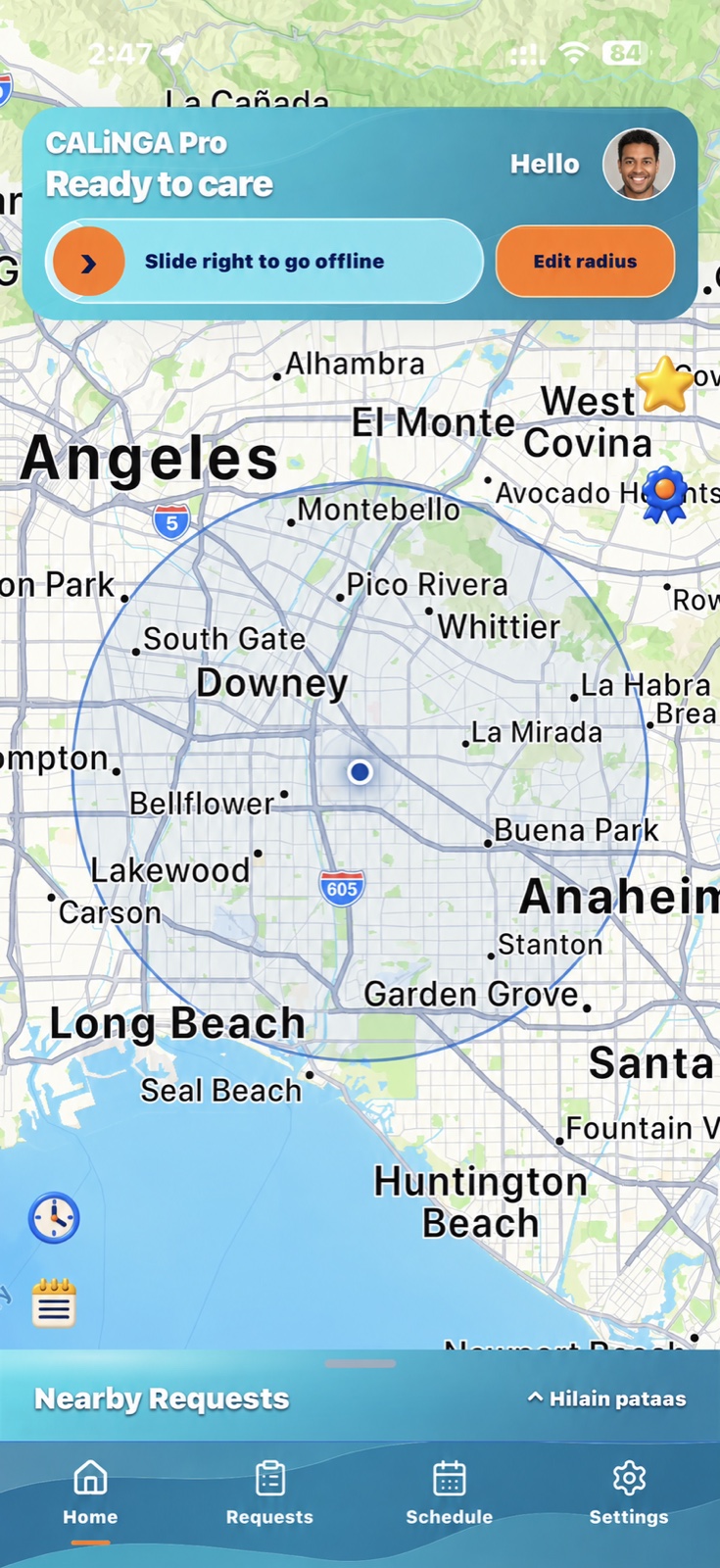
CALiNGA Seeker is for people arranging care. CALiNGA Pro is for independent care professionals. Both apps are coming soon; public booking is not open here. Verified download links will appear when available. No release date is promised.
Choose which optional categories you allow. You can change this at any time using the Cookie preferences link in the footer. Full detail is in our Privacy Policy.
Required for the website to work. These support authentication, security, core functionality and remembering the choice you make here. They cannot be switched off.
Help us understand how the site is used, measure performance and analyze crashes so we can improve it. Switched off unless you allow them.
Remember choices you make, such as language or display settings, to improve your experience. Not required for the site to work.
Used to measure or deliver advertising. CALiNGA does not sell personal information for monetary payment and does not use sensitive care or health-related information for unrelated targeted advertising. Switched off unless you allow them.
“Humble yourselves therefore under the mighty hand of God, that he may exalt you in due time.”